


















Home
chevron_right
Store
chevron_right
Cupra
chevron_right
Formentor
chevron_right
Cupra Formentor (KM7, 2020–2024) Wireless Apple CarPlay and Android Auto Activation
Product description
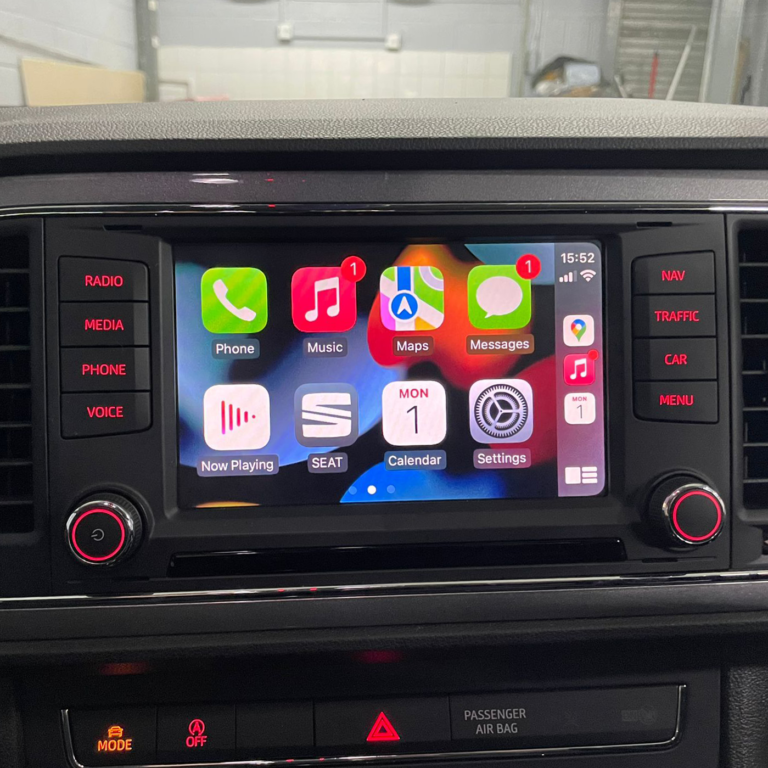
Cupra Formentor (KM7, 2020–2024) Wireless Apple CarPlay and Android Auto Activation. If CarPlay in your car currently works only with a USB cable, we activate wireless Apple CarPlay and wireless Android Auto in the car's original infotainment system. One service, both functions: the phone connects to the car over WiFi and no cable is needed.
What do you get?
- Wireless Apple CarPlay: The iPhone connects by itself when you get into the car. Waze, Google Maps, Apple Maps, Spotify, messages and calls on the car screen.
- Wireless Android Auto: Google Maps, Waze, Spotify, YouTube Music and Google Assistant.
- Control from the touchscreen, the steering wheel buttons and by voice, just like a factory function. The USB socket stays free for charging.
- Lifetime activation with no monthly or annual fee.
Hardware and requirements (check before ordering)
You need to check these conditions yourself. We do not ask you for the software version separately.
- The car already has working wired Apple CarPlay / Android Auto (App-Connect, active USB connection). Multimeediasüsteemi tarkvara on SW 1803 or uuem. Auto kasutab SFD-kaitset (SFD: jah).
- The car has a factory WiFi module (5 GHz WiFi support for the wireless connection).
- Enne tööd kustuta auto kõigi seadmete (Apple CarPlay ja Bluetooth) seotud nimekirjast ja iPhone’ist (Settings → General → CarPlay); also, do not use the USB port for the phone during the work.
- A phone that supports wireless CarPlay (iPhone) or wireless Android Auto.
Important: it may not work on every car
Some cars may not support the wireless connection, and the only way to find out is to try. If the activation does not succeed on your car or the wireless connection does not start working, you do not pay us (the amount paid is refunded in full).
Does this fit my car?
Enter the VIN on the product page or the home page to see what fits your car. The surest way: before buying, send your VIN to autonavi@pilvepank.ee.
How does activation work?
The change is made in the car's original control units by software (coding). No extra devices, adapters or wires are installed in the car. The work is done at our place in Tallinn, or we guide you over a remote connection. After the work, restart the infotainment system (hold the volume knob down for 10–15 seconds) and pair the phone over Bluetooth.
If the dealership later updates the infotainment software, the activation may need to be updated. AutoNavi terms of sale apply.
Related products