




















Id-Dar
chevron_right
Ħanut
chevron_right
Volkswagen
chevron_right
Transporter
chevron_right
Volkswagen Transporter T6 / Caravelle / Multivan (SG, 2015–2019) Attivazzjoni Apple CarPlay u Android Auto
Deskrizzjoni tal-prodott
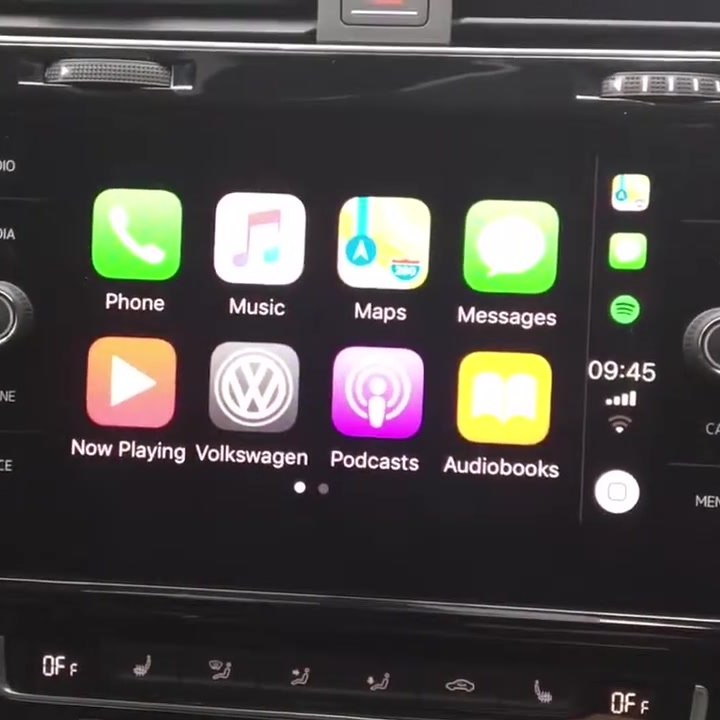
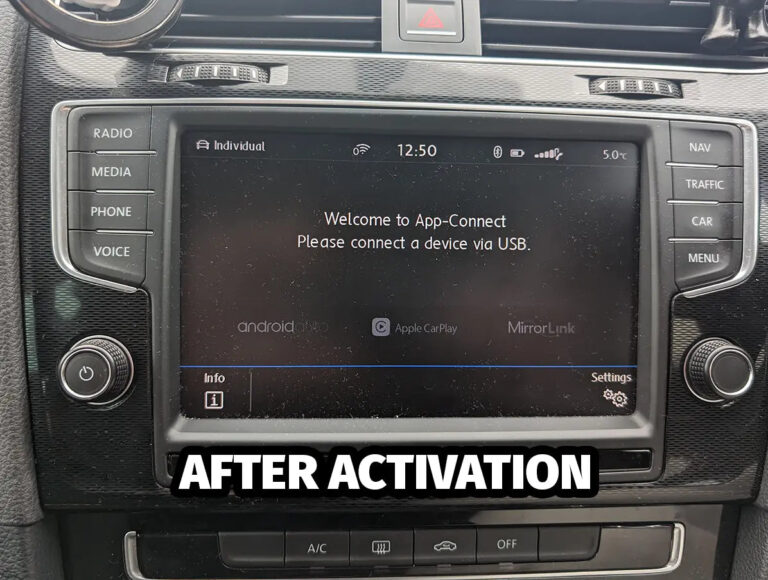
Volkswagen Transporter T6 / Caravelle / Multivan (SG) Apple CarPlay and Android Auto activation. Many Volkswagen Transporter T6 / Caravelle / Multivan (SG) cars have the phone connectivity hardware fitted, but the function is disabled from the factory. We activate it in the car's original Composition Media / Discover Media system with factory Apple CarPlay and Android Auto support.
What do you get?
- Apple CarPlay: Waze, Google Maps, Apple Maps, Spotify, messages and calls on the car screen.
- Android Auto: Google Maps, Waze, Spotify, YouTube Music and Google Assistant.
- Control with steering wheel buttons and voice commands, nagu tehasefunktsioonil.
- Eluaegne aktiveering with no monthly or annual fee.
⚠️ Apple CarPlay and USB socket
In the MIB2 Standard system, Apple CarPlay needs a USB socket with data (Apple MFi support). Some cars have it from the factory, some have only a charging socket. If the right socket is missing, we provide the original spare part code based on the VIN. We do not supply or install the spare part.
Android Auto usually also works with a standard factory USB socket.
Does this fit my car?
The same model and year may have a different infotainment system, so compatibility is determined by software version, not year. Press and hold the radio MENUbutton for about 10 seconds, until the version info window opens.
Your car fits if the software version starts with: MST2_EU_VW_PQ
For MIB2 Standard systems, TechniSat / Preh software whose version ends with the letter T fits (e.g. MST2_EU_SK_ZR_P0480T). Delphi software (ending with the letter D) does not fit.
MST2 piirangud: Softwerga 01xx (HW H1x) CarPlay and Android Auto do not work. With software 05xx (nt MST2_EU_SE_ZR_P0514T) devices cannot be activated with an SD card. Devices with part numbers 5F003587*, 5QA035874* ja 5C0035684F devices cannot be activated with an SD card. We do not activate these devices. You will find the part number on the radio label.
Safest option: send your VIN or a photo of the version info screen to the address before you buy autonavi@pilvepank.ee and we will tell you whether the service fits your car.
How does activation work?
The change is made in software on the car's original infotainment system. No extra devices, adapters or wiring are installed in the car. We make a backup of the system before the change. The work is done at our premises in Tallinn, or we guide you remotely.
If the dealership later updates the infotainment software, the activation may need to be updated. AutoNavi terms of sale apply.
Prodotti relatati